Get MS SQL Recovery Solution with SQL Repair Tool

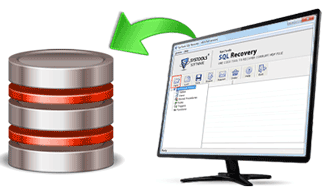
SQL Recovery software is an easy and accomplished MS SQL Recovery solution to recover SQL data. The software to repair MDF file SQL Server smoothly extracts the SQL database from the corrupt state and utilizes powerful algorithms to recover and SQL Server database in a healthy state without any hitch.
MS SQL Recovery Free Download
To know if the software is capable to handle your corrupt MDF file or not, you can download SQL Recovery tool free of cost that will allow you to watch out live action of software functionality. Due to some reasonable limitations on freebie edition, you will be restricted to save the recovered SQL Server database.
Unique Characteristics of The Software
- Recover BLOB Data: SQL Server database in the binary form called BLOB data can be recovered with the this MS SQL repair solution
- Effortless Recovered Data Saving: After MDF file repair process, the database get saved with Filename_recovered with the help of Windows Authentication Service option
- Automatic Database Creation: With the help of this advanced feature in tool to recover SQL data, users are not required to create blank script on Server for transferring recovered database
- Easy to Understand Interface: SQL Server Recovery Software to reply to the query as , how to recover SQL database from the MDF is designed with GUI that provides step by step guidance for flawless SQL Server database recovery process
- Fix Error Messages Efficiently: The software resolves corruption error messages that restricts you to access the MDF file database
- Affordable Mode to Repair MDF File: With Remote Access Installation Service, the software proves to be a cost-effective solution to recover corrupt SQL Server database
- Quick MDF File Data Recovery: With RTO technology working in the backend, speedy recovery of database is made possible with this MS SQL recovery solution
- Recovery of All SQL Components: The software ensures effective recovery of SQL Server components including triggers, tables, default procedures, rules, unique keys, primary keys etc
Time to Purchase The Tool
If the testing edition of the software remains successful in winning your faith and resolved your problem, then you can move forward towards saving of recovered database that can be made possible by buying activation key of the this advanced MS SQL recovery solution.